
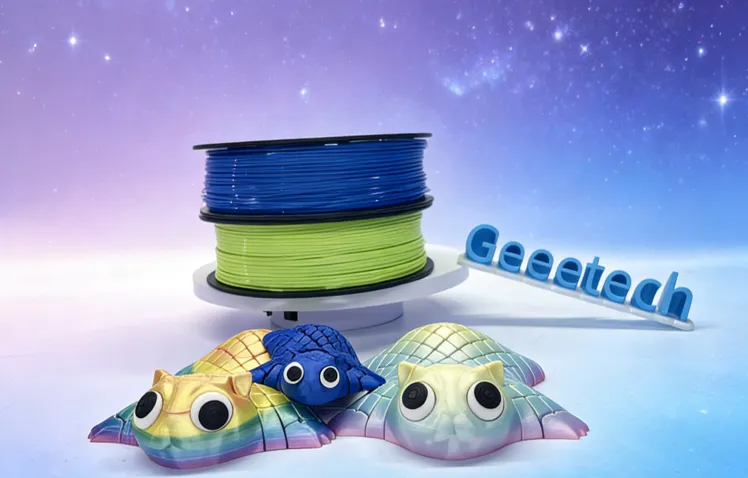

Getting a 3D printer is only the first step. Once the machine is sitting on your desk, the real challenge begins: picking the right material to feed it. I have spent years troubleshooting prints, clearing clogged nozzles, and testing different spools in various environments. What I have learned is that your choice of 3D printer filament is often more important than the printer itself.
If you use low-quality material or the wrong type for your project, even a high-end printer will produce brittle, messy, or warped parts. This guide breaks down everything you need to know about filament types, storage, and settings so you can stop wasting plastic and start making functional parts.
Understanding the Basics of 3D Printing Materials
Every spool of filament is a thermoplastic. This means it melts when heated and solidifies when cooled. However, not all plastics behave the same way. Some are derived from natural sources like corn starch, while others are petroleum-based. Some are rigid and brittle, while others can bend like rubber.
When I first started working with these machines, I thought “plastic is plastic.” I quickly realized that the chemical makeup of a filament dictates how it flows through the nozzle and how well the layers stick together.
Why Diameter Matters
Standard filament comes in two sizes: 1.75mm and 2.85mm (often called 3mm). Most modern desktop printers use 1.75mm because it is easier for the motor to push and allows for more precise control. Always check your printer’s manual before buying. If you try to force 2.85mm filament into a 1.75mm system, you will break your extruder.
Quality Control Signs
You can tell a lot about a filament just by looking at the spool. High-quality filament has a consistent diameter. If the thickness varies by more than 0.03mm, your printer will struggle to maintain a steady flow, leading to “under-extrusion” (gaps in the print) or “over-extrusion” (blobs).
| Feature | High-Quality Filament | Low-Quality Filament |
| Diameter Consistency | Within +/- 0.02mm to 0.03mm | Varies by 0.05mm or more |
| Winding | Neat, parallel rows | Tangled or “crossed” lines |
| Moisture | Vacuum-sealed with desiccant | Loose packaging or no desiccant |
| Color | Uniform throughout the spool | Streaky or fading |
Why PLA Filament is the Best Starting Point
If you are new to this or just want a reliable experience, PLA filament (Polylactic Acid) is the industry standard for a reason. It is made from fermented plant starch, which makes it more environmentally friendly than traditional plastics.
From my experience, PLA is the most “forgiving” material. It doesn’t require a heated bed to stick, although having one at around 60°C helps immensely. It also doesn’t shrink much as it cools, which prevents the corners of your print from lifting off the build plate—a problem known as warping.
Working with PLA
PLA melts at a relatively low temperature (usually 190°C to 220°C). It has a sweet, popcorn-like smell when printing, which is much better than the harsh chemical fumes of other materials. However, it isn’t perfect for every job. Because it melts easily, you shouldn’t use it for things that will sit in a hot car or near a heater.
Pros and Cons of PLA
| Pros | Cons |
| Very easy to print with | Becomes soft at 60°C (140°F) |
| Low warping and high detail | Can be brittle and snap under pressure |
| No harmful fumes or odors | Not suitable for outdoor long-term use |
| Wide variety of colors and finishes | Hard to sand or post-process |
Moving Beyond Basics: PETG and ABS
Once you feel comfortable with PLA, you might need something tougher. If you are building a bracket for a shelf or a part for a drone, you need heat resistance and durability. This is where PETG and ABS come in.
PETG: The Middle Ground
PETG (Polyethylene Terephthalate Glycol-modified) is essentially the same plastic used in water bottles, but modified for 3D printing. It combines the ease of PLA with the strength of ABS. It is incredibly “sticky,” which means layer adhesion is excellent. However, that stickiness makes it prone to “stringing”—tiny spider-web-like hairs that appear between different parts of your print.
In my workshop, I use PETG for functional mechanical parts. It can handle being outside and won’t deform in the sun.
ABS: The Industrial Standard
ABS (Acrylonitrile Butadiene Styrene) is what LEGO bricks are made of. It is very tough and can be sanded or even melted with acetone to create a glass-smooth finish. However, it is difficult to print. It shrinks significantly as it cools, so you need an enclosed printer to keep the air warm. It also releases unpleasant fumes, so ventilation is a must.
Material Comparison Table
| Material | Printing Temp | Bed Temp | Difficulty | Best Use Case |
| PLA | 200°C | 60°C | Easy | Models, prototypes, toys |
| PETG | 240°C | 80°C | Medium | Mechanical parts, outdoor use |
| ABS | 250°C | 110°C | Hard | High-impact parts, enclosures |
Speciality Filaments: TPU, Nylon, and Carbon Fiber
Sometimes standard plastic isn’t enough. I have had projects where I needed a part to bend or withstand extreme friction.
TPU (Flexible Filament)
TPU is a rubber-like material. You can print phone cases, gaskets, or even tires for RC cars with it. The trick with TPU is to print very slowly. Because the filament is soft, the extruder gears can easily “chew” it or cause it to tangle if you try to push it too fast.
Nylon
Nylon is the king of durability and low friction. If you are printing gears that need to spin against each other, Nylon is the way to go. The downside? It absorbs moisture from the air faster than almost any other material. If your Nylon isn’t bone-dry, the water inside will turn to steam in the nozzle, causing bubbles and weak prints.
Composite Filaments
You will often see “Wood,” “Copper,” or “Carbon Fiber” filaments. These are usually a base of PLA or PETG mixed with ground-up particles.
- Wood fill: Contains actual sawdust. It smells like a woodshop and can be stained.
- Carbon Fiber: Makes the part very stiff but wears down your brass nozzle quickly. You need a hardened steel nozzle for these.
The Invisible Enemy: Moisture and Storage
One of the most common mistakes I see is leaving filament out on the printer for weeks. Most 3D printing plastics are “hygroscopic,” meaning they suck moisture out of the humidity in the room.
How to Tell if Filament is “Wet”
If you hear popping or crackling sounds while printing, that is water boiling inside the plastic. Other signs include:
- Fuzzy or rough surface texture.
- Increased stringing.
- Brittle filament that snaps when you try to bend it.
Proper Storage Solutions
I keep all my spools in airtight plastic bins with rechargeable desiccant packs (those “do not eat” silica bags). For expensive materials like Nylon or TPU, I use a dedicated filament dryer. This is a small heated box that dries the spool while it prints. It sounds like an extra step, but it saves hours of failed prints.
Setting Up Your Slicer for Success
The “Slicer” is the software that turns your 3D model into instructions for the printer. No matter how good your filament is, the wrong settings will ruin the prints.
Temperature Tuning
Every brand of filament is slightly different. Even two different colors of the same brand might need different temperatures. I always suggest printing a “Temp Tower”—a small test print that changes temperatures as it goes up. This lets you see exactly where the filament looks best and has the least stringing.
Cooling Fans
- PLA: Needs 100% fan speed. You want the plastic to freeze in place the moment it leaves the nozzle.
- PETG: Needs limited fan (30-50%). Too much cooling makes the layers brittle.
- ABS: Usually needs 0% fan. Any cold air will cause the print to crack or warp.
Troubleshooting Common Filament Issues
Even with years of experience, things go wrong. Here is a quick reference for when your prints don’t look right.
The First Layer won’t Stick
This is 90% of all 3D printing problems.
- Solution: Clean your build plate with 90% Isopropyl Alcohol. Finger oils prevent plastic from sticking. If that fails, check your “Z-offset” to make sure the nozzle is close enough to the bed to “squish” the first layer down.
Clogged Nozzles (Heat Creep)
If the filament stops flowing halfway through a print, it might be “heat creep.” This happens when the heat from the nozzle travels too far up the cooling block, melting the filament before it reaches the tip.
- Solution: Ensure your extruder fan is spinning fast and that you aren’t printing at a temperature that is unnecessarily high for the material.
A Real-Life Example: The Outdoor Hinge Project
A few years ago, a friend asked me to print a replacement hinge for his garden gate. My first instinct was to use PLA because it was easy. Within two weeks, the sun’s heat softened the PLA, and the hinge sagged until it snapped.
I switched to PETG, increased the number of “walls” (perimeters) to five for extra strength, and printed it at a slightly higher temperature (245°C) to ensure the layers were fused perfectly. That hinge is still holding up today, three years later. This taught me that choosing the material based on the environment of the part is just as important as the design itself.
Frequently Asked Questions
1. Can I use PLA for parts that go inside a car?
No. Interior car temperatures can easily exceed 60°C (140°F) on a sunny day. PLA will warp, sag, or melt completely. Use PETG or ASA (a more UV-resistant version of ABS) for automotive parts.
2. Why is my filament snapping when I pull it off the spool?
This is a classic sign of “wet” filament. Over time, moisture makes the plastic brittle. You can often “save” the spool by drying it in a dedicated filament dryer or a food dehydrator at a low temperature (around 45°C for PLA) for 4 to 6 hours.
3. Does the color of the filament change how it prints?
Surprisingly, yes. White filament often requires slightly more heat because the titanium dioxide used for pigment doesn’t melt. Black filament can sometimes be “runnier” because of the carbon black used. Always do a quick test when switching colors.
4. Is 3D printer filament toxic?
PLA is generally considered safe, but it still releases “ultrafine particles.” ABS and Nylon release Styrene and other VOCs (Volatile Organic Compounds) that can be harmful. It is always best to print in a well-ventilated room or use an enclosure with a HEPA/Carbon filter.
Conclusion
Mastering 3D printing isn’t just about knowing how to level a bed; it’s about understanding the language of materials. Starting with PLA filament gives you a solid foundation of success while you learn the mechanics of your machine. As you branch out into functional parts, high-quality 3D printer filament like PETG or ABS will allow you to create items that are truly useful in the real world.
The most important takeaway is to respect the material. Keep it dry, find its “sweet spot” temperature, and always match the plastic to the purpose of the part. If you do those three things, you will spend much less time fixing your printer and much more time creating.