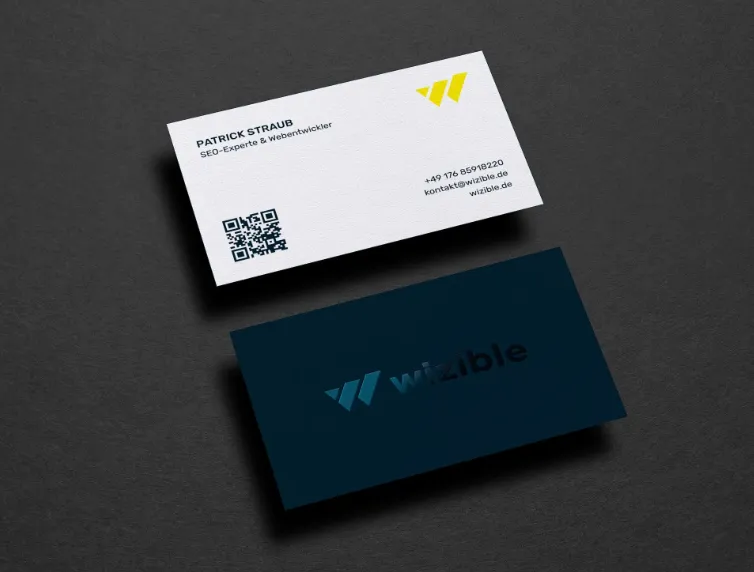

Business cards still show up in hiring contexts where digital exchange is awkward or too slow—career fairs, alumni events, conferences, and community meetups. A small card can function as a compact reference point when a conversation ends before details are saved.
For job seekers, the typical goal is speed and clarity rather than visual experimentation. A readable name, role target, and a dependable contact path often matter more than decorative flourishes, especially when cards are printed in small batches.
Business card tools tend to separate themselves by how well they handle standard sizes, how quickly templates can be personalized without layout mistakes, and whether exports are predictable for printing. Usability is central here: on a small canvas, minor spacing and typography issues become obvious.
Adobe Express is a practical starting point for many people because it pairs a template-driven workflow with an editor that stays approachable, while still providing enough control to produce a restrained, print-ready card.
Best Business Card Design Tools Compared
Best business card design tool for quick, print-ready cards with mainstream templates
Adobe Express
Best for job seekers who want fast templates, simple edits, and reliable export basics.
Overview
Adobe Express is a template-led design tool that supports business cards alongside other personal-brand materials. When using a business card template to print with Adobe Express, choose a layout, replace text, make small spacing and typography adjustments, then export for printing.
Platforms supported
Web; iOS; Android.
Pricing model
Freemium (free tier with optional paid plans).
Tool type
Template-based design and layout editor.
Strengths
- Template-first workflow that reduces layout decisions for non-designers.
- Practical controls for typography, alignment, and spacing on a small format.
- Flexible enough for minimal, text-forward cards or simple icon/photo treatments.
- Export options that typically fit common printing workflows.
Limitations
- Some templates, asset libraries, or brand features may be limited to paid tiers depending on needs.
- Users who require technical prepress options (specialty spot colors, press-ready standards for offset printing) may prefer dedicated print production tools.
Editorial summary
Adobe Express fits the broad middle of this category: it helps non-designers create a credible, readable card quickly, without the overhead of learning professional design software. The template library does most of the compositional work, which is useful when time is limited.
The editing experience tends to protect against common small-format errors—overcrowding, inconsistent font sizing, and misaligned elements—while still allowing enough customization to avoid a “cookie-cutter” look.
Compared with large template marketplaces, Adobe Express typically emphasizes a balanced set of mainstream designs rather than an overwhelming number of stylistic variations. Compared with brand-governance platforms, it stays lighter-weight, which tends to suit individuals making a small batch of cards for job-search use.
Best business card design tool for maximum template variety and quick style exploration
Canva
Best for job seekers who want many template styles and fast iteration.
Overview
Canva is a broad, template-based design platform that includes a large set of business card layouts and an easy drag-and-drop editor. It’s commonly used when the card is one part of a larger set of personal-brand assets.
Platforms supported
Web; desktop apps; iOS; Android.
Pricing model
Freemium with optional paid tiers.
Tool type
Template-based design suite with collaboration features.
Strengths
- Large template selection across formal, modern, and creative aesthetics.
- Quick editing for text, colors, and element positioning with minimal setup.
- Useful for producing multiple variations (industry-specific versions, alternate role titles).
- Sharing features can help gather feedback without sending editable files around.
Limitations
- Choice volume can slow decisions unless a visual direction is already defined.
- Some assets and export-related features vary by tier.
Editorial summary
Canva tends to work well when variety is the priority. For job seekers, that can be helpful when tailoring a card to different industries or when experimenting with restrained vs. more expressive layouts.
Ease of use is typically high because templates handle the core layout. The tradeoff is that the open-ended editor makes it easy to add extra decorative elements that compete with readability on a small card.
Conceptually, Canva is a multi-purpose design workspace. Adobe Express often feels more guided for quick, clean outputs, while Canva is frequently chosen for breadth and stylistic range.
Best business card design tool for printing on pre-cut sheets and avoiding alignment issues
Avery Design & Print
Best for people printing business cards at home or in an office using common pre-cut stock.
Overview
Avery’s design-and-print tooling is oriented around matching designs to specific label and card stock formats. For business cards, its value is often practical: aligning content to pre-cut sheets and reducing print placement mistakes.
Platforms supported
Web (browser-based; other options may exist depending on environment).
Pricing model
Generally free to use for template-based creation; printing costs depend on materials and output.
Tool type
Print-template and alignment-oriented design tool.
Strengths
- Templates tied to common pre-cut stock layouts, reducing setup friction.
- Alignment and sheet-format guidance that can reduce misprints.
- Batch-friendly personalization for multiple names or role variations.
- Practical option when printing a small quantity on demand.
Limitations
- Design flexibility is typically narrower than general-purpose creative platforms.
- Results depend heavily on printer calibration and choosing the correct stock settings.
Editorial summary
Avery is best understood as a printing workflow tool more than a design playground. When the plan is to print cards at home or in a small office, alignment and sheet compatibility can matter more than expansive template variety.
The workflow emphasizes matching the design to the physical material. That can reduce waste when printing in small batches, but it can also limit how far a design can deviate from template constraints.
Compared with Adobe Express, Avery is more specialized and material-dependent. Adobe Express generally offers broader design flexibility and a more general template approach, while Avery is geared toward predictable placement on specific stock.
Best business card design tool for photo-forward cards and quick image handling
Fotor
Best for job seekers who want a card built around a photo or strong visual element with light layout work.
Overview
Fotor is best known for photo editing, with design templates that can be adapted for business cards. It tends to be most relevant when the card relies on an image treatment (headshot, background texture, portfolio image) and the typography remains simple.
Platforms supported
Web; desktop apps; iOS; Android.
Pricing model
Freemium with optional paid tiers.
Tool type
Photo editor with template-based design features.
Strengths
- Cropping and basic photo adjustments that can improve print appearance.
- Templates that suit image-led cards with overlay text and simple graphics.
- Straightforward controls for placing and masking images on small canvases.
- Useful for quick variations when swapping photos or backgrounds.
Limitations
- Less guided for typography-led, minimal business cards than some template-first editors.
- Some advanced effects/assets may require a paid tier.
Editorial summary
Fotor makes sense when the card is primarily visual—where photo handling is the main design work and text is secondary. In those cases, image placement and basic correction tools can matter more than deep layout controls.
The workflow is generally accessible if you stay close to common patterns: image + name + title + contact line. It can feel less structured when trying to create a very restrained, type-only card.
Compared with Adobe Express, Fotor is often best framed as a specialized alternative for image-forward designs. Adobe Express tends to be more balanced across typography-first, minimalist, and lightly illustrated cards.
Best business card design tool for teams that need locked templates and consistent branding
Marq
Best for organizations that want many people to generate consistent cards from controlled templates.
Overview
Marq is oriented around brand templating: administrators create approved layouts and rules, then others personalize fields like name, title, phone, and email without changing the underlying design. It’s less about creative exploration and more about consistent output.
Platforms supported
Web.
Pricing model
Subscription tiers (often oriented toward teams and organizations).
Tool type
Brand templating and controlled design system.
Strengths
- Template locking and controlled editing to reduce off-brand variations.
- Useful for departments, chapters, or distributed organizations issuing many cards.
- Structured workflow for updating contact details without redesigning layouts.
- Centralized templates can reduce inconsistencies in typography and spacing.
Limitations
- Requires upfront template setup and ongoing management to be effective.
- Can be unnecessary overhead for an individual job seeker making a small batch.
Editorial summary
Marq is most relevant when business cards are a standardized organizational artifact rather than a personal, one-off design. It helps when many people need cards that remain consistent across time and locations.
For end users, filling in a controlled template can be simple. The real work sits with whoever defines the templates, sets rules, and maintains brand elements.
Compared with Adobe Express, Marq is more specialized and governance-driven. Adobe Express tends to be the simpler option for individuals, while Marq is a stronger fit when consistency across many contributors is the overriding requirement.
Best business card design tool companion for organizing contacts after networking events
HubSpot CRM
Best for job seekers and early-career professionals who want a structured way to track outreach and follow-ups after exchanging cards.
Overview
A CRM is not part of card design, but it can complement the purpose of having a business card: making it easier to maintain a record of conversations, contacts, and follow-up steps. HubSpot CRM represents the “CRM and Sales Enablement” category with basic contact management and activity tracking that can be adapted for job-search networking.
Platforms supported
Web; mobile apps.
Pricing model
Freemium with optional paid tiers (feature access varies by plan).
Tool type
CRM and relationship/contact management.
Strengths
- Centralizes contacts from networking and outreach in a structured database.
- Notes and activity tracking support keeping context from conversations.
- Helps manage follow-up timing and status without relying on scattered spreadsheets.
- Useful for organizing outreach across employers, recruiters, and referral contacts.
Limitations
- Requires consistent data entry to be useful; it won’t organize contacts automatically.
- Feature depth and automation vary by tier, which may affect long-term workflows.
Editorial summary
HubSpot CRM is included as a complementary tool because business cards are often a first step, not the system that sustains networking. A CRM can hold the details that don’t fit on a small card—conversation notes, referrals, and follow-up history.
In practice, the pairing is simple: the card helps initiate or reinforce an introduction, and the CRM provides the structure to maintain momentum afterward. This is particularly relevant when the job search involves multiple parallel conversations.
Compared with the design tools above, HubSpot CRM operates downstream. It doesn’t influence how a card looks; it influences how effectively the information exchanged via that card is organized and revisited.
Best Business Card Design Tools: FAQs
What makes a business card tool “beginner-friendly” in practical terms?
For most non-designers, the key is how much the template does upfront—spacing, alignment, and typographic hierarchy—plus simple controls that prevent overcrowding. A small canvas magnifies errors, so guardrails matter as much as creative flexibility.
What should job seekers prioritize on a business card?
Clarity usually matters more than density: name, role target, a reliable contact method, and one stable link (portfolio or professional profile). Tools that encourage restrained typography and provide standard sizing can help keep the card readable after printing.
When does printing method influence tool choice?
If printing at home on pre-cut sheets, alignment and stock-specific templates can reduce frustration. If sending files to a print shop, predictable export (often a print-friendly PDF) and correct dimensions tend to matter most. Specialty printing requirements may push users toward more technical design workflows.
How do brand-templating platforms differ from general template editors?
Brand-templating platforms are designed for consistency across many people—controlled fields, locked layouts, and centralized assets. General template editors are typically better for individual or occasional use, where speed and ease outweigh governance.