

Music is more fun when you share it. Spotify has something called Blend. It mixes your songs with your friend’s songs. You can find new music. You can see what songs you both like. This guide shows you how to use Blend.
If you’re looking for a reliable site to get Premium, then simply head over to U7BUY where you can buy spotify premium at the cheapest prices you can ever imagine!
What is Spotify Blend?
Spotify Blend is essentially a playlist. What it does is that it mixes your songs and your friends’ songs together. The list changes the more you update and use it, getting closer and closer to your preference. The best part is that Blend is a feature available to both free and Premium users.
How Blend Works
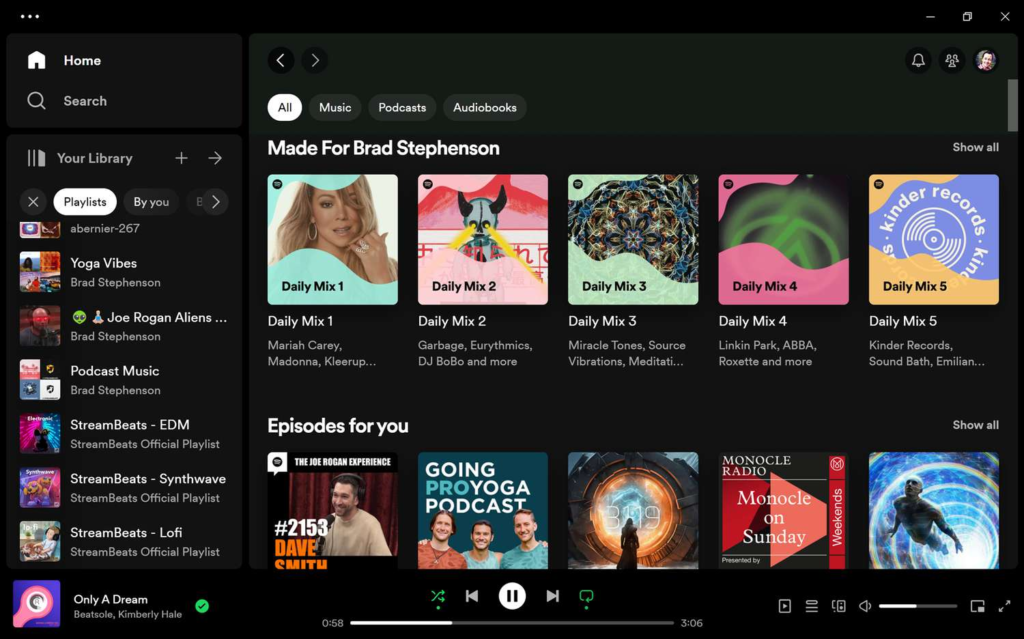
You make a Blend. Spotify picks songs for everyone. It picks songs everyone will like. You can see who picked each song.
Spotify will also give you a number that shows how many songs you like the same as your friend. A big number means you like the same music. A small number means you like different music. It’s fun to check this number.
The song list changes every day. You get new songs to hear.
How to Make a Blend on Your Phone
Use your phone to make a Blend. Here’s what to do:
Open Spotify
Get Spotify on your phone. Open it. Sign in.
Find Search
Look at the bottom of your screen. Tap Search. Type Blend. Or scroll down. Look for Made for You.
Make a Blend
See Create a Blend. Tap it. This starts your song list.
Ask Friends to Join
You will see Invite. Tap it. Pick how to send it. Send it by text or email or WhatsApp or Instagram.
Wait
Your friends get the link. They tap it. They see Join. They tap Join. Your Blend is ready.
Listen
Everyone gets a card. The card shows your number. It shows which songs you share. You can post this card online.
Where is Your Blend?
You can find your Blend here:
- Tap Search. Look in Made for You.
- Tap Library at the bottom.
- Look at your song lists.
Everyone can see the Blend.
Can You Use a Computer?
No. You can’t make a new Blend on a computer.
You can only make it on your phone or tablet.
But you can listen to it on your computer after you make it.
Make a Blend with Famous Singers
You can make a Blend with famous singers. You can see if you like the same music. You can learn what they like.
You need their link. Singers put links on Instagram or Twitter or Facebook. You can find links on their Spotify page too.
Get the link. Tap it. Do the same steps as before. Spotify mixes your songs with their songs. You get a number too.
Make a Blend with Many Friends
You can ask many friends to join. This is good for:
- Your friend group
- Your family
- People at work
- Your gym friends
- Your book club
- Any group
Everyone sees the song list. Everyone knows who picked which songs. More people means more songs.
Why Blend is Good
Here’s what Blend does:
| Thing | What It Does |
| Changes Every Day | New songs added daily |
| Match Number | Shows if you like same music |
| See Who Picked | You know who picked each song |
| Share Cards | Get pictures for social media |
| Free | No money needed |
| Many Friends | Add lots of people |
| Singer Blends | Mix with famous singers |
How to Control Your Blends

Leave a Blend
Want to leave a Blend? Do this:
Open the Blend. Tap the three dots. Pick Leave Blend.
You can’t remove other people. Want different people? Make a new Blend.
Add More Friends
Want more friends in your Blend?
Open the Blend. Tap the three dots. Pick Invite more. Send the link.
Change the Name
Want a new name for your Blend? Only works on phone:
Open the Blend. Tap the three dots. Pick Edit name. Type new name. Save it.
Tips to Make Blend Better
Here are ways to get more from Blend:
Listen More Listen to music more. Your Blend gets better. Spotify learns what you like.
Make Many Blends Make different Blends. One for workout friends. One for family. One for work friends.
Find New Songs Your friends play new songs. You hear singers you don’t know.
Share Your Number Put your match number online. Show friends.
Try Singer Blends Make Blends with famous singers. See what they like.
Questions About Blend
Do I need to pay? No. Blend is free. Everyone can use it.
How many Blends can I make? As many as you want. No limit.
Can I see what friends listen to? You see songs they picked for the Blend. You don’t see what they listen to now.
Does Blend have podcasts? Yes. Blend can add podcasts too.
Keep Your Blend Good
Your Blend changes every day. Here’s what happens:
- New songs get added
- The list shows what’s popular now
- You get fresh songs
- Your match number can change
Use Spotify more. Your Blend gets better.
Blend is fun. You share music with friends and family. You can mix with famous singers too. Blend makes a song list for your group. It’s free. It changes every day. It works with many people.
Make your first Blend today. See which songs connect you. You might like the same music as your friends. Or you might find new singers. Music is better when shared. Blend makes it easy.